---
title: "Blog Templates & Elements"
path: https://www.eonshowroom.eon.com/en/specials/blog-templates-elements.html
lastModified: 2026-09-18T08:43:30.998Z
---
# Blog Templates & Elements
# Blog Layout and Components
The **Blog Layout Template** provides editors with a ready-to-use structure for creating blog articles. It combines the recommended grid layout with the main blog components so editors can start adding content without building the page structure from scratch.
The template is intended as a starting point. Editors can adjust the content while keeping the predefined structure to ensure a consistent and readable blog layout across devices.
### Features
- Ready-to-use blog page structure
- Preconfigured 3-6-3 grid for the main article area
- Reading Time and Share Button included
- Main content area prepared with text and Quote components
- Dedicated area for author information
- Related Articles section included below the article
- Layout optimized for desktop, tablet and mobile
## Demo for Blog Container and Blog componets
Bellow example shows the blog container including 3-6-3 grid with reading time and sharing function, dummy text as well the new business card editor component.
3 min read
!!! THIS IS PLACEHOLDER - DELETE
Lorem ipsum dolor sit amet, consectetur adipiscing elit. Sed do eiusmod tempor incididunt ut labore et dolore magna aliqua. Ut enim ad minim veniam, quis nostrud exercitation ullamco laboris nisi ut aliquip ex ea commodo consequat.
Lorem ipsum dolor sit amet, consectetur adipiscing elit. Sed do eiusmod tempor incididunt ut labore et dolore magna aliqua. Ut enim ad minim veniam, quis nostrud exercitation ullamco laboris nisi ut aliquip ex ea commodo consequat.
Duis aute irure dolor in reprehenderit in voluptate velit esse cillum dolore eu fugiat nulla pariatur. Excepteur sint occaecat cupidatat non proident, sunt in culpa qui officia deserunt mollit anim id est laborum.
. -------------
> Lorem ipsum dolor sit amet, consectetur adipiscing elit. Sed do eiusmod tempor incididunt ut labore et dolore magna aliqua.
Lorem ipsum dolor sit amet, consectetur adipiscing elit. Sed do eiusmod tempor incididunt ut labore et dolore magna aliqua. Ut enim ad minim veniam, quis nostrud exercitation ullamco laboris nisi ut aliquip ex ea commodo consequat.
Duis aute irure dolor in reprehenderit in voluptate velit esse cillum dolore eu fugiat nulla pariatur. Excepteur sint occaecat cupidatat non proident, sunt in culpa qui officia deserunt mollit anim id est laborum.
John Doe
Content Editor
### Related Articles
## E.ON Study: €1 Trillion Savings Possible on Path to Climate Neutrality
06 JUN 2025

E.ON’s study shows Europe can save €1.5T by 2050 via electrification, grid expansion, and digitization to achieve climate neutrality.
[Read more](https://www.eonshowroom.eon.com/no/brand-redesign/complex-features-maps-forms-aggregator/content-aggregator/eon-study-europe-1trillion-climate-neutrality1.html)
## E.ON Installs EV Charging at German Federal Properties
09 MAY 2025
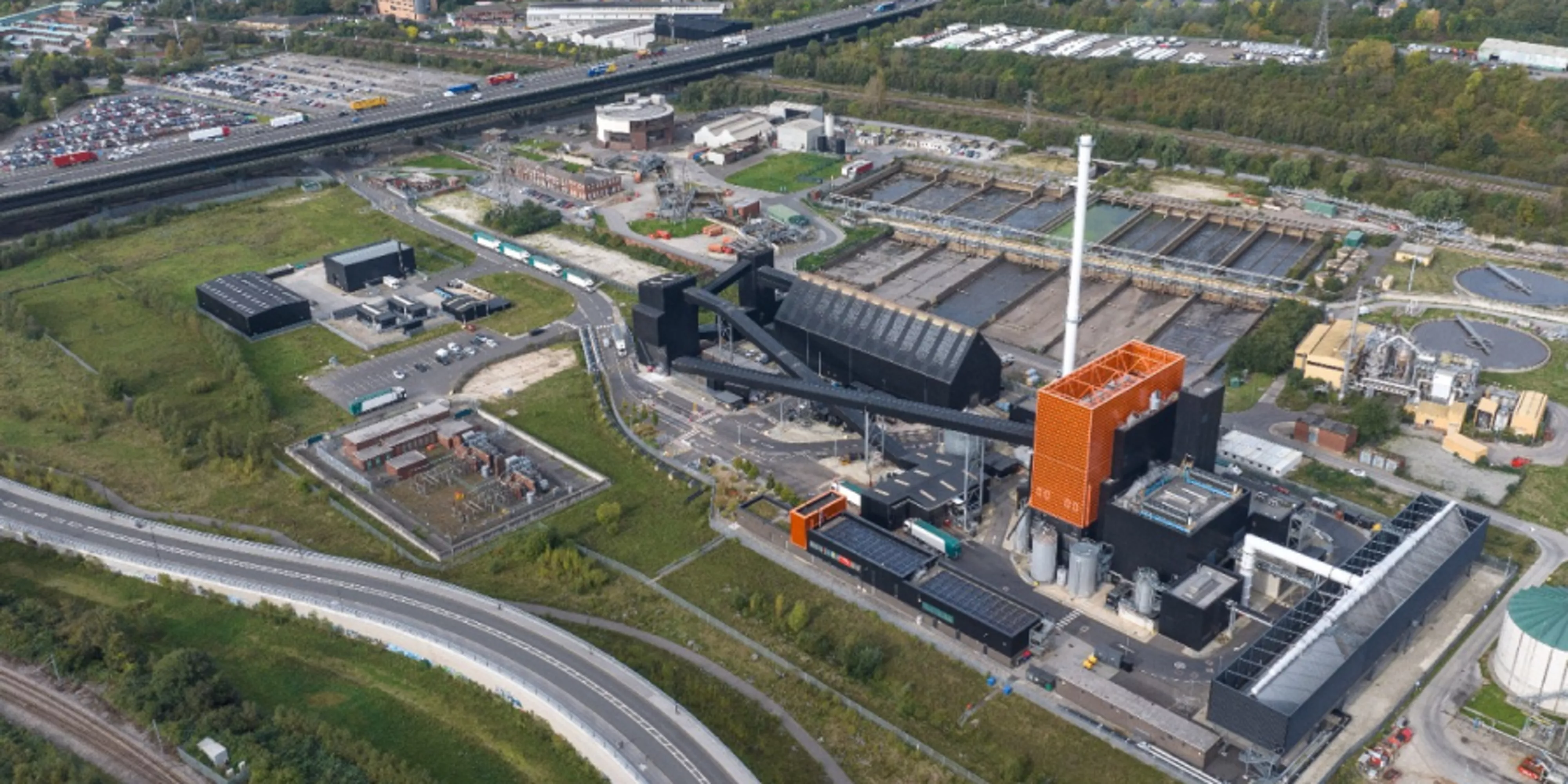
E.ON to install 7,000 EV chargers at German federal sites by 2027, supporting fleet electrification with smart load management.
[Read more](https://www.eonshowroom.eon.com/no/brand-redesign/complex-features-maps-forms-aggregator/content-aggregator/eon-german-federal-ev-charging1.html)
## €45M EU Funding Boosts E.ON, Eldrive & ZSE EV Charging Expansion
21 APR 2025

E.ON, Eldrive & ZSE secure €45M EU funding to install 1,400 EV chargers across 13 countries, boosting freight and passenger transport.
[Read more](https://www.eonshowroom.eon.com/no/brand-redesign/complex-features-maps-forms-aggregator/content-aggregator/eon-eldrive-zse-eu-funding-ev-charging1.html)
## E.ON Sets New Standards for Responsible AI Use
15 APR 2025

E.ON sets AI standards, ensuring ethical use, EU compliance, and employee training to drive innovation in the energy transition.
[Read full press release](https://www.eonshowroom.eon.com/no/brand-redesign/complex-features-maps-forms-aggregator/content-aggregator/eon-responsible-ai-standards1.html)
## €45M EU Funding Boosts E.ON, Eldrive & ZSE EV Charging Expansion
21 FEB 2025

E.ON, Eldrive & ZSE secure €45M EU funding to install 1,400 EV chargers across 13 countries, boosting freight and passenger transport.
[Read more](https://www.eonshowroom.eon.com/no/brand-redesign/complex-features-maps-forms-aggregator/content-aggregator/eon-eldrive-zse-eu-funding-ev-charging.html)
## E.ON Uses Drone Scans for Large-Scale Thermal Mapping
12 FEB 2025

E.ON, Coventry & Kestrix use drone scans and 3D heat modeling to map thermal efficiency, cutting heat loss and boosting savings.
[Read more](https://www.eonshowroom.eon.com/no/brand-redesign/complex-features-maps-forms-aggregator/content-aggregator/eon-drone-scans-thermal-efficiency.html)
## Configuration
### Configuration in a nutshell
- Add the Blog Layout Template to the page instead of creating the article structure manually.
- Replace the provided dummy content with the actual article content.
- Enable Reading Time and sharing when required.
- Configure the author using the Business Card Editor.
- Keep the Related Articles section below the main article content.
### In this how to
Quick jump to the most relevant how to topics
[Add the Blog Layout Template](https://www.eonshowroom.eon.com/en/specials/blog-templates-elements.html#1-blog-container)
[Configure Reading Time](https://www.eonshowroom.eon.com/en/specials/blog-templates-elements.html#2-reading-time)
[Configure the Share Button](https://www.eonshowroom.eon.com/en/specials/blog-templates-elements.html#3-share-button)
[Add the Business Card Editor](https://www.eonshowroom.eon.com/en/specials/blog-templates-elements.html#4-business-card-editor)
[Use the Quote Component](https://www.eonshowroom.eon.com/en/specials/blog-templates-elements.html#5-quote)
[Configure Related Articles](https://www.eonshowroom.eon.com/en/specials/blog-templates-elements.html#6-related-articles)

#### Add the Blog Layout Template
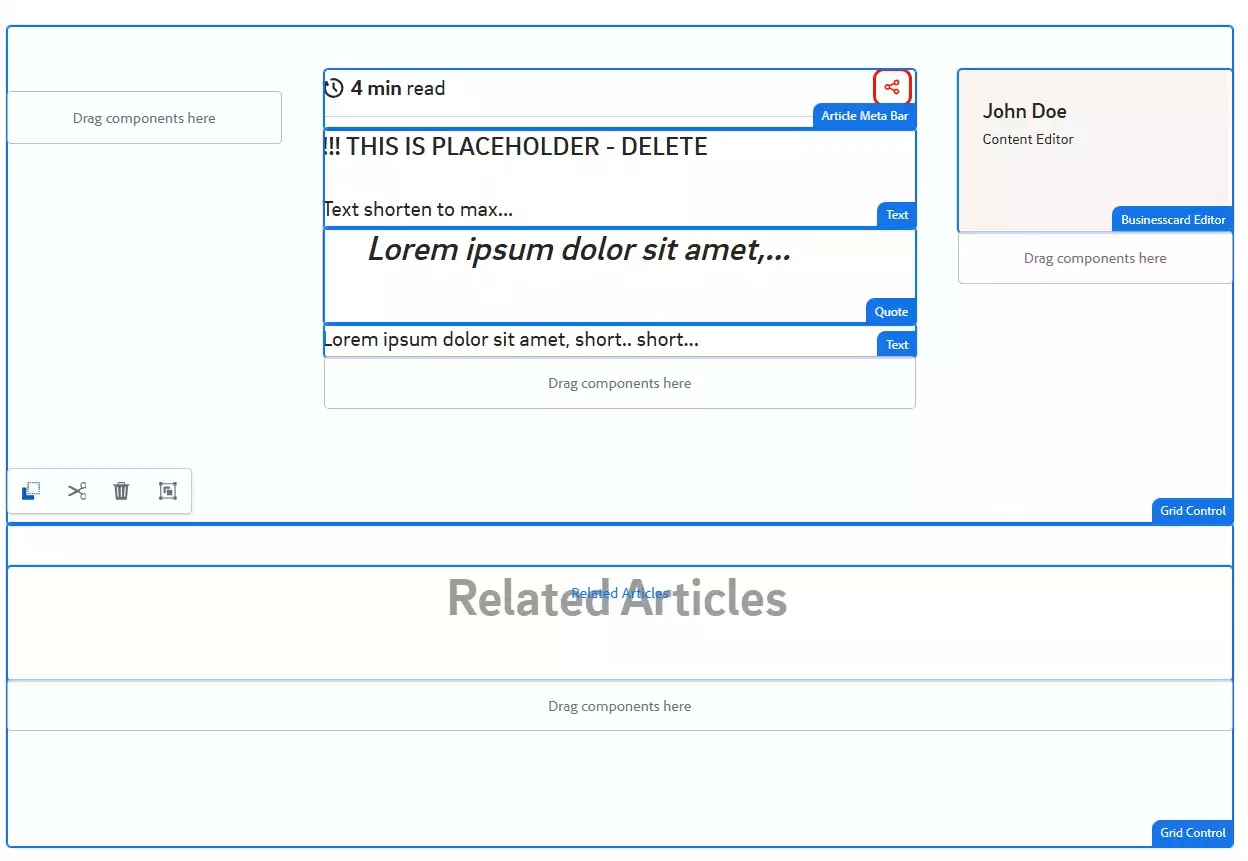
Add the **Blog Layout Template** to your page. It provides a predefined structure containing the recommended grids and blog components.
The main article area uses a **3-6-3 layout**:
- **Left column:** reserved space supporting the article layout.
- **Middle 6 columns:** main article content, including example text and a Quote component.
- **Right 3 columns:**author information using the Business Card Editor.
Below the article area, a **12-column grid** contains the Related Articles component.
Use this structure as the recommended starting point rather than rebuilding the blog layout manually.
**Example:** Blog Container

#### Reading Time
The **Reading Time** displays an automatically calculated estimate based on the number of words in the article and an average reading speed.
Simply enable the option using the corresponding checkbox. No reading time needs to be entered manually.
**Example:** Reading time


#### Share Button
The **Share Button** allows users to share the article using the standard sharing functionality available on their device or browser. Enable the option using the corresponding checkbox. The available sharing options depend on the user's device and browser.
**Example:** Reading time


#### Business Card Editor
The **Business Card Editor** is a dedicated variant of the Business Card Contact component for displaying the article author. It provides a more compact author presentation with:
- boxed background
- author information
- reduced, icon-only links Use this variant for author information instead of the standard contact presentation.
**Example:** Headline with info icon
## Smart meter installation for free
[Info Icon Key: info-icon-1]
[Info Icon Aria Label: price-details]
## Free smart meter installation
[Info Icon Key: info-icon-2]
[Info Icon Aria Label: price-details-modal]
[Info Icon Content Type: Modal]
[Info Icon Modal ID: price-details]
#### Conditions of smart meter installation
[Modal ID: price-details]

#### Quote Component
Use the **Quote Component** to highlight relevant statements or quotes within the article.
Keep quotes concise and use them selectively to support the reading flow rather than as a replacement for regular article content.
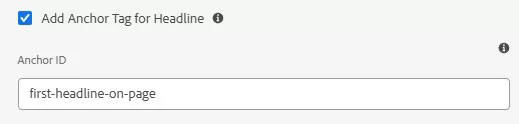
**Example:** Link to headline with anchor tag
[Link to first headline on this page](https://www.eonshowroom.eon.com/en/content-elements/headline-example.html#first-headline-on-page)
Headline tag set on anchor

#### Related Articles
The **Related Articles** component is placed below the main article content in a full-width 12-column grid.
It helps users continue reading by showing relevant articles based on article tags and age.
If no related articles are shown, check the Filter options for related articles!
## Does, Don'ts and Grid Usage

### What you should do
- Start with the Blog Layout Template for new blog articles.
- Keep the main article content in the predefined central content area.
- Use Reading Time and sharing where appropriate.
- Maintain meaningful tags so Related Articles can identify relevant content.
- Check the finished article on desktop, tablet and mobile.
- Create article author as exprience fragment and use reference in page

### What you shouldn't do
- Rebuild the standard blog structure manually unless the page requires a specific layout.
- Overuse Quote components within an article.
- Configure business card editor directly on page. You will have to maintain often and update at different places if contact details changes.